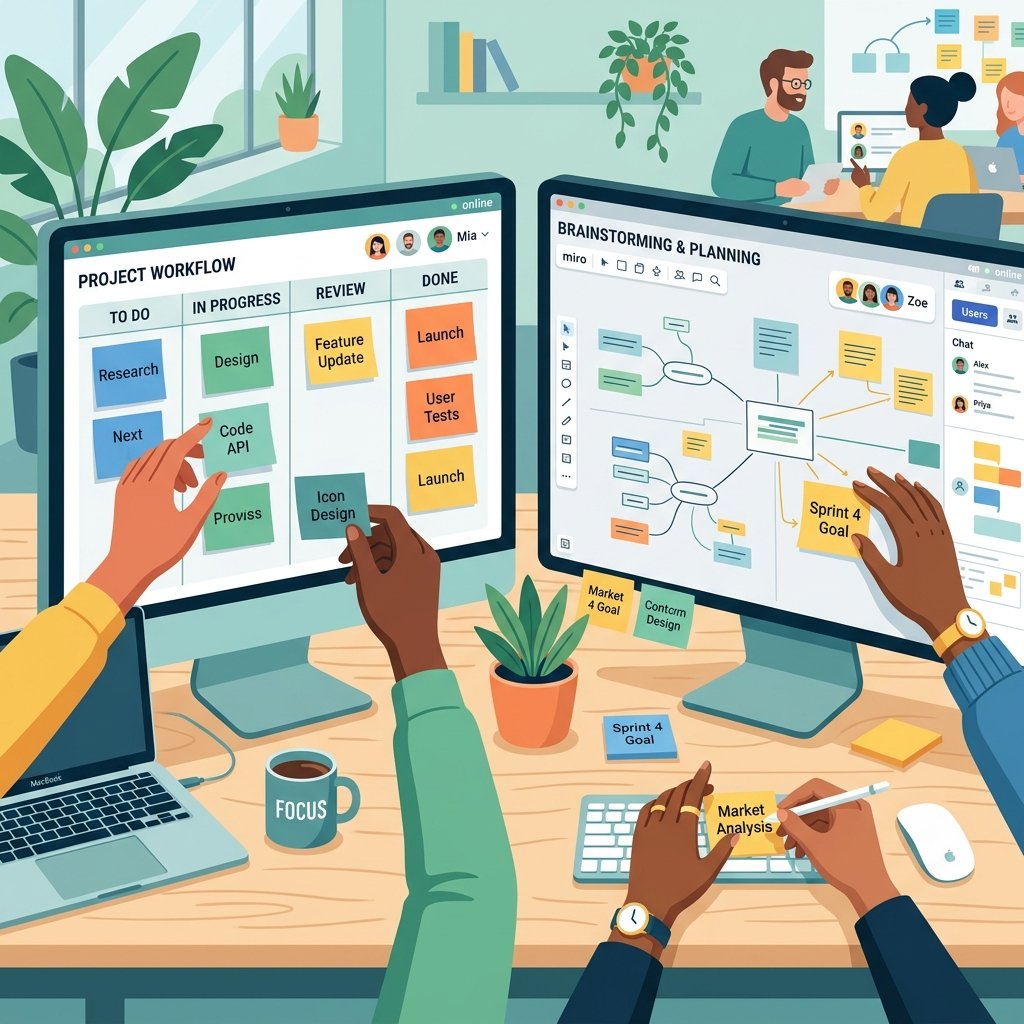
If you’ve ever worked on a remote team, you know the feeling of “Slack fatigue.” You spend all day reading messages, scrolling through threads, and trying to build a mental map of what everyone is actually working on. It’s exhausting, it’s inefficient, and quite frankly, it’s a great way to let important tasks fall through the cracks.
In my experience, the only way to truly solve the “remote disconnect” is to move from text-based management to visual management. In 2026, visual project management tools for remote teams are no longer a luxury; they are the backbone of high-performing distributed organizations. They provide the spatial context and immediate visibility that a laundry list of tasks simply cannot offer.
Today, I want to dive into why the “Power of Visuals” is so important for remote work and which tools are leading the way in making digital collaboration feel as natural as being in the same room. If you want your team to stop asking “what’s next?” and start staying in their flow, Digital Success Lane is here to show you how.
The Problem with the “Digital Laundry List”
Humans are visual creatures. We are evolved to understand spatial relationships and patterns. When we look at a list of 50 tasks in a spreadsheet, our brains have to work incredibly hard to prioritize them and understand how they relate to one another.
For a remote team, this problem is magnified. You don’t have the “watercooler effect” where you can see what’s on someone’s physical desk or whiteboard. You’re flying blind. This leads to redundant work, missed dependencies, and a general sense of “where are we?”
Switching to visual tools solves this by putting the project’s health and progress in plain sight. It’s a key part of successful client acquisition strategies – being able to show a prospect a clear, visual roadmap of how you’ll deliver results builds immediate trust.
The Different “Flavors” of Visual PM
Not all visual tools are created equal. Depending on how your team works, you might need different ways of seeing your data.
1. Kanban Boards: The Workflow Standard
Trello is the tool that brought Kanban to the masses, and it’s still one of the most intuitive ways to visualize a workflow. The “Cards and Columns” approach is remarkably powerful because it represents a “state of being.”
When a task moves from “To Do” to “In Progress” to “Review,” you can see the flow of work happening in real-time. For remote teams, this replaces the traditional status update meeting. You don’t need to ask Sarah if she’s started on the copy; you can see her card is in the “In Progress” column.
If you’re already looking into 7 best AI-powered project management tools for small teams, you’ll notice that almost all of them now offer a Kanban view as a core feature. It’s simply the most effective way to track day-to-day execution.
2. Gantt Charts: The Master Plan
Gantt charts have a bit of a reputation for being “old school,” but for complex projects with many dependencies, they are essential. A Gantt chart shows you *time* and *relationship*.
It helps a remote team understand that if Task A is delayed, it will push back Task B, C, and D. Seeing that timeline visually helps everyone understand the impact of their delays on the rest of the team. Most modern tools like ClickUp and Monday.com have made Gantt charts much more flexible and “drag-and-drop” than the ancient versions of the past.
3. Infinite Whiteboards: The Creative Canvas
This is where the real innovation in 2026 is happening. Tools like Miro and Mural provide an infinite digital canvas where teams can collaborate in real-time.
Imagine having an “infinite whiteboard” where you can throw up sticky notes, draw diagrams, embed videos, and map out complex customer journeys together. For remote brainstorming, it’s revolutionary. You can see everyone’s cursors moving around the screen, which provides a sense of “togetherness” that a Zoom call just can’t replicate.
I use Miro for all my initial project “discovery” phases. It’s where I map out my freelance portfolio building strategies before I ever create a single task. You can see their latest collaborative features on the Miro official site.
Why Remote Teams Specifically Need These Tools
Reducing “Status Meeting” Fatigue
One of the biggest productivity killers in remote work is the “quick sync” that turns into an hour-long status update. When you have a visual system, the status is already known. You can use your actual meeting time for high-level strategy and problem-solving instead of just reporting what you did yesterday.
Building a “Shared Mental Model”
When we aren’t in the same room, we often have different ideas of what the “final goal” looks like. Visual tools help align those mental models. Looking at the same board or roadmap ensures everyone is pulling in the same direction. It’s a vital part of managing multiple clients efficiently using agency project management tools.
Supporting Different Working Styles
Some people are “List people.” Others are “Board people.” Others need a “Calendar view.” High-quality visual PM tools allow each person to see the data in the way that makes the most sense to them without changing the underlying data for everyone else.
Case Study: The “Hybrid” Visual Workflow
I’ve found that the most successful remote teams use a “Hybrid” approach. They don’t try to make one tool do everything.
- Ideation & Strategy: They use Miro or Mural. This is the “messy” phase where ideas are born and discarded.
- Execution & Tracking: Once a plan is solid, they export those ideas into a structured tool like ClickUp or Trello. Each “sticky note” from the whiteboard becomes a “task” on the board.
- Timeline & Resource Management: If the project is large, they use a Gantt view to manage the master schedule and ensuring nobody is overloaded.
This multi-view approach ensures that you have the right “zoom level” for every stage of the project.
Overcoming the “Visual Clutter” Trap
One warning: it’s easy for visual boards to become cluttered and overwhelming. If you have 500 cards on a single board, it’s no longer “visual” – it’s just a mess.
To prevent this, use “Folders” or “Tags” to filter your views. Encourage your team to archive completed tasks immediately. A clean, well-maintained visual board is a joy to work in; a messy one is just another source of stress.
I also recommend integrating affordable project management software with built-in time tracking for freelancers so you can see the “time” dimension of your visual tasks. Seeing that a task is in progress is good; seeing that it’s been in progress for 40 hours is even better information.
The ROI of Visual Management
Does it take a bit more work to set up a visual system? Yes. Does it require more discipline to maintain? Absolutely.
But the return on investment is massive. You get faster decisions, fewer misunderstandings, and a team that feels more connected to the work and to each other. In 2026, the agencies and teams that “see” their work clearly are the ones that are winning.
If you’re still relying on long email chains and spreadsheets to manage your remote team, I highly encourage you to try a visual approach. Start small – maybe just a simple Trello board for your next sprint – and see how it changes the energy of your team.
For more inspiration, check out Mural’s collaborative templates which can give you a great head start on your next remote workshop.
Success in remote work isn’t about working harder; it’s about working *smarter* and *clearer*. Visual tools are the clearest path to that goal.
The Psychology of Seeing Progress
Before we look at the specific tools, it’s worth asking *why* visuals work so well. It’s not just about organization; it’s about brain chemistry. When you’re working in an office, you have physical cues of progress. You see people finishing meetings, you see documents being passed around, and you see the whiteboard being filled with ideas. In a remote setting, those cues disappear. You’re left with just a screen.
Visual project management tools recreate those cues. When you drag a card from “In Progress” to “Done” on a Kanban board, your brain receives a small hit of dopamine. It’s a tangible representation of achievement. For a remote worker who might be feeling isolated or like their work is “invisible,” these moments of visual confirmation are incredibly important for morale and long-term engagement. It’s a concept we often discuss when talking about managing multiple clients efficiently using agency project management tools – the psychological health of the team is just as important as the tasks themselves.
Deep Dive: 5 Essential Visual Platforms for 2026
If you’re ready to make the switch, here are the platforms that are defining the visual workspace this year.
1. Miro: The Digital War Room
Miro has evolved from a simple whiteboard into a full-scale collaborative ecosystem. In 2026, their “Smart Diagrams” and AI-assisted layout features make it almost impossible to create a messy board. For remote teams, Miro acts as the “War Room” where strategy is born. You can visualize everything from a simple brainstorm to a complex technical architecture. It’s where I map out my freelance portfolio building strategies before they ever touch a task list.
2. Trello: The Zen of Kanban
Trello remains the king of simplicity. While other tools have added endless features, Trello has focused on making the “spatial intuition” of the board as smooth as possible. For remote teams that want to get up and running in ten minutes, Trello is still the gold standard. Their power-ups and automations have become more sophisticated, but the core experience remains focused on the “card and column” relationship.
3. ClickUp: The Multi-Perspective Powerhouse
ClickUp’s greatest visual strength is its versatility. It allows the same data set to be viewed in over 15 different ways. One team member can work in a List view, another in a Kanban view, and another on a Timeline – all while looking at the exact same tasks. This flexibility is vital for diverse remote teams where everyone has a different cognitive style. It’s a key part of our 7 best AI-powered project management tools for small teams recommendations.
4. Mural: Focus on Facilitation
Mural is similar to Miro but focuses heavily on high-stakes facilitation and workshops. If your remote team does a lot of strategic planning sessions or “design sprints,” Mural’s facilitation tools – like the private mode and the interactive timer – make it much easier to keep everyone focused and moving forward. Their Mural blog is a treasure trove of remote collaboration tips.
5. Monday.com: The Visual Automation Engine
Monday.com uses color and shapes better than almost any other tool. Their “Work OS” is built around the idea that every piece of data should be visually distinct. For remote managers, the “Dashboards” in Monday.com provide a high-level visual summary of the entire team’s health without having to dig into individual tasks. It’s a masterclass in data visualization for non-data-scientists.
The Strategy: Moving Your Team from Text to Visual
If you’re currently stuck in “Slack-and-Spreadsheet” hell, moving to a visual system can feel daunting. You don’t want to overwhelm your team with yet another “new tool.” Here is the transition strategy I recommend:
1. Identify the “Hot Spot”: Don’t try to visualize everything at once. Pick one process that is currently causing the most confusion – perhaps your content approval cycle or your client onboarding.
2. Create the “Source of Truth”: Choose one visual tool and stick to it. If you have three different boards in three different tools, you haven’t solved the problem; you’ve just moved it.
3. Conduct a “Visual Workshop”: Get everyone on a Zoom call and build the board together. Let the team decide what the columns should be named and what the “Done” state actually looks like.
4. Enforce “The Board is the Law”: If it’s not on the board, it doesn’t exist. This sounds harsh, but it’s the only way to build the habit of visual upkeep.
This transition is a vital part of successful client acquisition strategies. When you can show a client their project’s progress in a beautiful, visual interface, you’re not just providing a service; you’re providing a premium experience that builds confidence and loyalty.
Common Pitfalls: Why Some Visual Systems Fail
Even with the best intentions, visual systems can fail. The most common reason is “Visual Clutter.” When a board becomes too busy, the brain stops seeing patterns and starts seeing noise. To avoid this:
- Use Strict Archiving Rules: Completed tasks should be moved off the main board immediately.
- Limit the Number of Columns: If you have more than 7 columns, your process is likely too complex.
- Consistent Tagging: Use colors and labels consistently across the whole team so everyone knows what “Red” or “Urgent” looks like.
I also recommend integrating affordable project management software with built-in time tracking for freelancers to ensure that your visual progress is backed up by actual time data. Seeing a card move across the board is great, but knowing exactly how much effort each move took is even better.
The ROI of Visual Management
Does it take a bit more work to set up a visual system? Yes. Does it require more discipline to maintain? Absolutely.
But the return on investment is massive. You get faster decisions, fewer misunderstandings, and a team that feels more connected to the work and to each other. In 2026, the agencies and teams that “see” their work clearly are the ones that are winning.
If you’re still relying on long email chains and spreadsheets to manage your remote team, I highly encourage you to try a visual approach. Start small – maybe just a simple Trello board for your next sprint – and see how it changes the energy of your team.
For more inspiration, check out Mural’s collaborative templates which can give you a great head start on your next remote workshop.
Success in remote work isn’t about working harder; it’s about working *smarter* and *clearer*. Visual tools are the clearest path to that goal.
Happy visualizing!
Leave a Reply